
Five new LED modes for a more personal PlugStream charger
Five standby styles, custom colours and scheduled night-time dimming
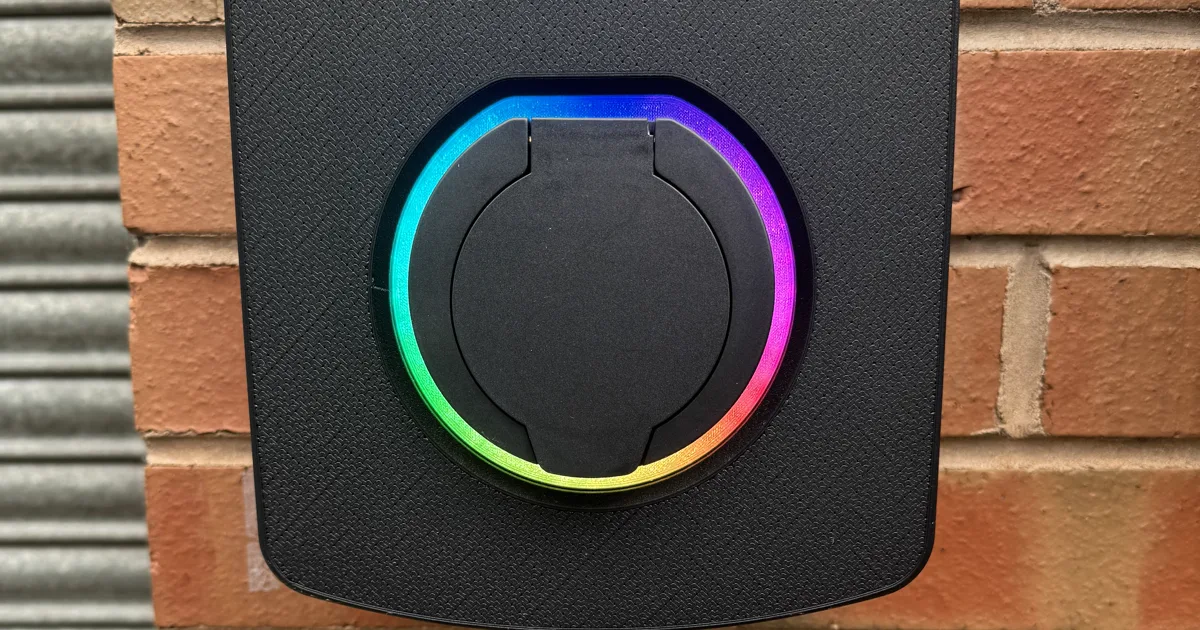
The lights on an EV charger have an important job. They show when the charger is ready, when a vehicle is charging and when something needs attention. But a charger is also a visible part of a home, workplace or shared parking area, so its standby appearance should feel at home there too.
PlugStream's new lighting controls give compatible charger owners more choice over how their charger looks while it is idle. You can choose from five standby styles, select a custom colour for supported modes, set the daytime brightness and create a separate night-time dimming schedule.
These controls personalise the charger without compromising the status information people rely on. Charging, connectivity, update and fault indications continue to take priority whenever they are needed.
Five ways to personalise the standby light
The selected mode changes how the charger looks while it is ready and waiting. Each style has its own character, from a familiar solid light to a more discreet unlit appearance.
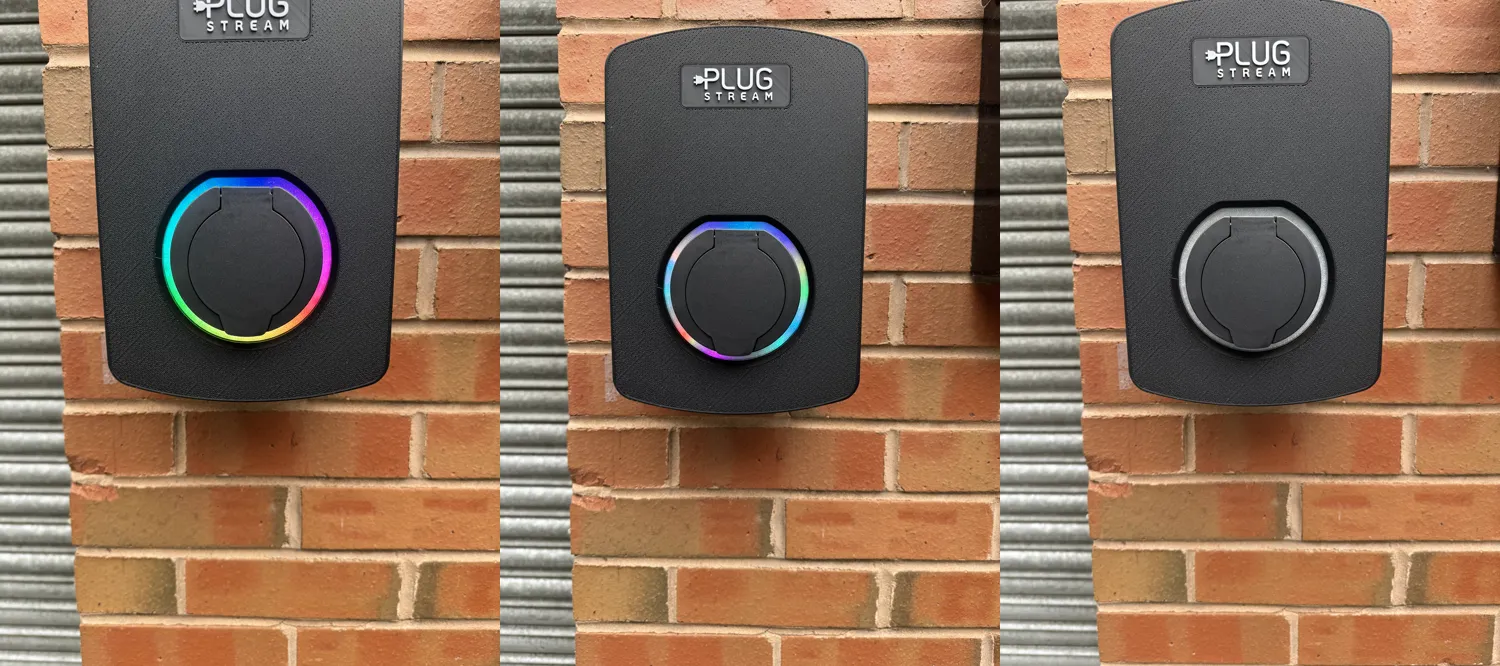
Aurora, Sparkle and Stealth, from left to right. The appearance shown is the idle standby light.
Classic
Classic keeps the familiar PlugStream standby appearance: a solid light in your chosen colour. It is the simplest option for customers who like the current look but want to match the light more closely to their property, vehicle or preferred colour.
Glow
Glow uses your chosen colour in a slow, gentle breathing effect. The light gradually rises and falls over a 15-second cycle, giving the charger a softer sense of movement while it waits.
Glow shown in blue. Select play to watch the breathing effect.
Aurora
Aurora creates a smooth, full-colour gradient that moves around the charger. One rotation takes approximately 12 seconds. Because the colour movement is built into the effect, Aurora does not use the custom colour setting.
Aurora shown on an installed PlugStream charger.
Sparkle
Sparkle adds small points of colour that appear across the light and fade smoothly. The colours are selected by the effect itself, so Sparkle also works independently of the custom colour setting.
Sparkle shown on an installed PlugStream charger.
Stealth
Stealth switches the standby light off, creating a quieter appearance when the charger is idle. It can be useful where a charger faces a window, sits close to a neighbour or simply needs to blend into its surroundings.
Stealth only affects the standby appearance. The charger still shows charging, connectivity, update and fault indications when they are required.
Choose a custom standby colour
The new colour picker makes it easy to select a precise colour for Classic and Glow. Choose visually from the picker or enter a colour value directly, then preview the result on the charger.
Aurora and Sparkle use their own multi-colour effects, while Stealth has no idle colour because its standby light is off. The interface keeps the colour control connected to the modes that use it, so it is always clear when a selection will be applied.
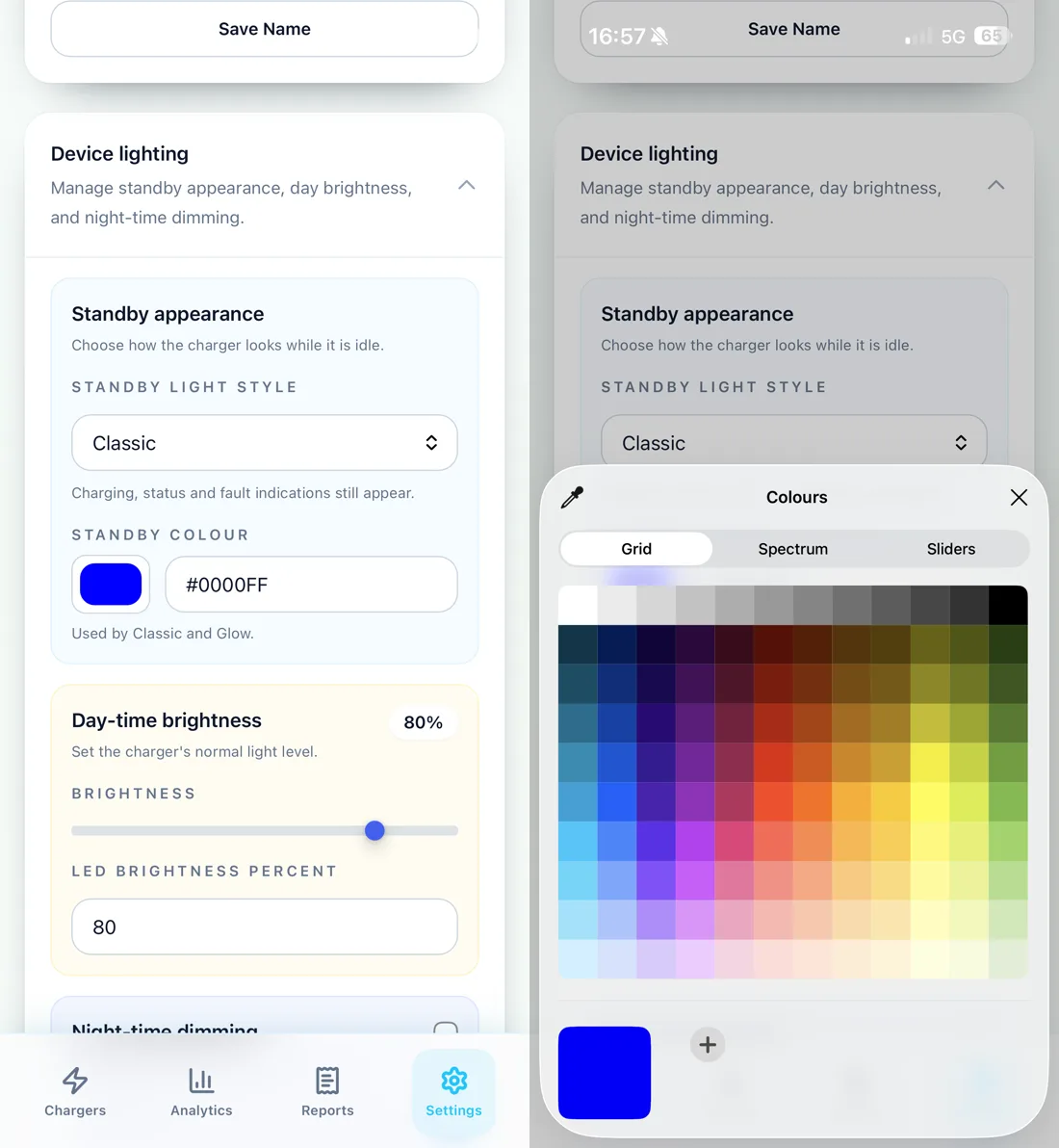
Choose a colour visually or enter its hex value. Classic and Glow use the selected colour.
Set daytime brightness separately
Standby style and brightness are separate controls. After choosing how the charger should look, set the daytime LED brightness anywhere from 0% to 100%.
The brightness level applies across the charger lighting, including operational indications. This gives customers a simple way to make the charger more visible or more subtle without having to change the selected standby style.
Create a night-time dimming schedule
For a more discreet appearance after dark, turn on Dim lights at night and choose:
- when night dimming starts
- when it ends
- the maximum brightness during that period
The schedule follows UK local time and adjusts automatically when the clocks change. It also works across midnight, so a schedule beginning in the evening and ending the following morning behaves as expected.
Setting night brightness to 0% switches the lights off during the scheduled period, with one important exception: a solid red fault light remains visible at the daytime brightness. This preserves a clear safety and diagnostic indication even when the other lights are dimmed.
Important charger indications stay visible
The new modes are designed for personalisation, not to disguise what the charger is doing. A selected standby style appears while the charger is idle, but gives way to the operational lighting whenever the charger starts a session, updates, changes connectivity state or reports a fault.
That means a colourful Aurora or Sparkle effect will not replace a charging indication. Stealth will not prevent a fault light from appearing. The charger remains clear and understandable while giving customers more control over how it looks between sessions.
Changes apply without restarting the charger
Lighting changes are sent to an online charger as soon as they are saved. There is no need to restart the charger or reconnect it to apply a new colour, style or brightness level.
The charger also remembers its lighting preferences through a reboot or power loss. If it is temporarily offline when a setting is changed, PlugStream uses the existing command queue and retry process to deliver the update when the connection returns.
Where to find the lighting controls
In the PlugStream portal, open the relevant charge point and go to Settings > Lighting. The page separates standby appearance, daytime brightness and night-time dimming into clear sections.
In MyPlugStream, open your charger settings and select the lighting controls where the brightness setting is shown. You can choose a standby mode and colour, then manage the brightness and night schedule separately.
The complete lighting controls require a compatible PlugStream charger running firmware version 1.46.0 or later. Make sure you are using the latest available version of the mobile app if the new options are not yet visible.
A charger that fits its surroundings
From a subtle Stealth setting after dark to a colourful Aurora effect while the charger waits, the new modes make it easier to choose an appearance that suits the installation. More importantly, they do it while preserving the clear operational signals that make the charger easy to understand.
Explore the PlugStream 7 charger family, or contact the PlugStream team for help choosing a charger for your home or project.
FAQ
PlugStream LED mode questions
Do the new LED modes hide charging or fault indications?
No. The selected style changes the standby appearance only. Charging, connectivity, update and fault indications continue to take priority.
Which LED modes can use a custom colour?
Classic and Glow use the colour selected in PlugStream. Aurora and Sparkle use their own multi-colour effects, while Stealth switches the idle light off.
Can I switch the charger lights off at night?
Yes. Set night brightness to 0% for the scheduled period. Solid red fault indications remain at the configured daytime brightness.
Which charger firmware supports the new lighting controls?
The complete lighting personalisation controls are available on compatible PlugStream chargers running firmware version 1.46.0 or later.
Explore More
Compare the PlugStream range
See how PlugStream 7S, PlugStream 7T, and the PlugStream 22 family fit different homes, commercial sites, and daily charging routines.