
Introducing Charger readiness in MyPlugStream
Know what's happening before you wonder why
One of the most common frustrations with EV charging is not simply whether the cable is plugged in. It is understanding why charging has or has not started.
Sometimes the answer is simple: the vehicle is not requesting energy yet. Sometimes it is deliberate: a schedule, random start delay, or smart charging window is active. Sometimes the charger is protecting the site supply through load balancing, waiting for live site telemetry, or applying a temporary limit.
The new Charger readiness endpoint brings those signals together and gives the MyPlugStream app a plain-language answer: know what's happening before you wonder why.
A quality-of-life upgrade for drivers
The goal is simple: when a customer opens their chargepoint in the MyPlugStream app, they should not have to interpret raw charger states or guess what is happening behind the scenes.
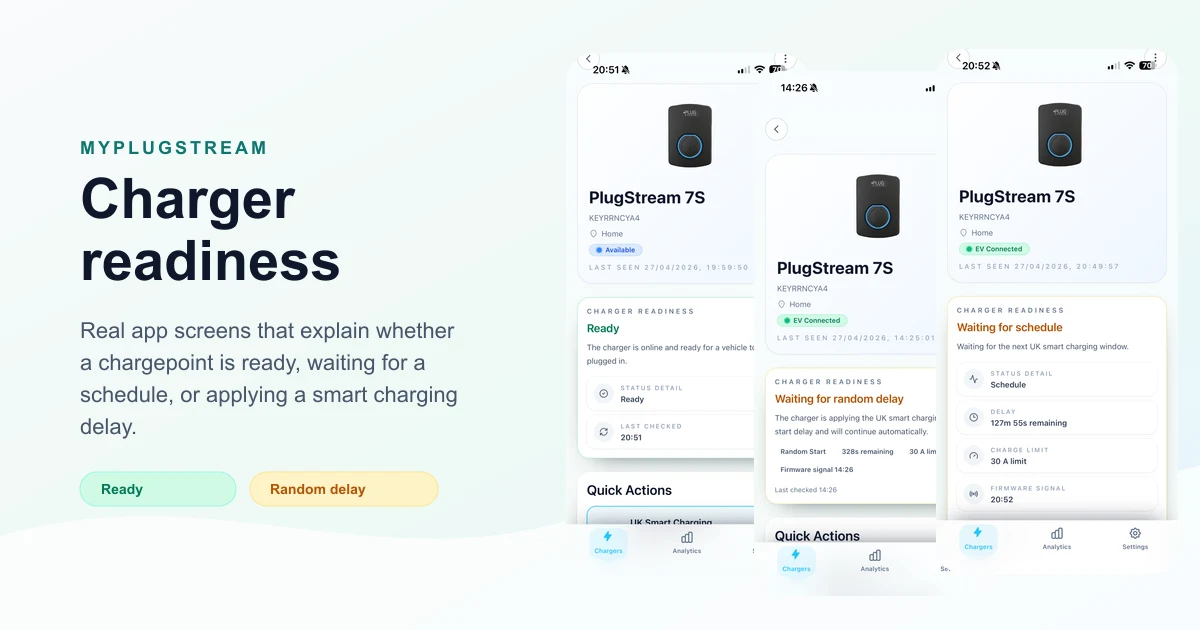
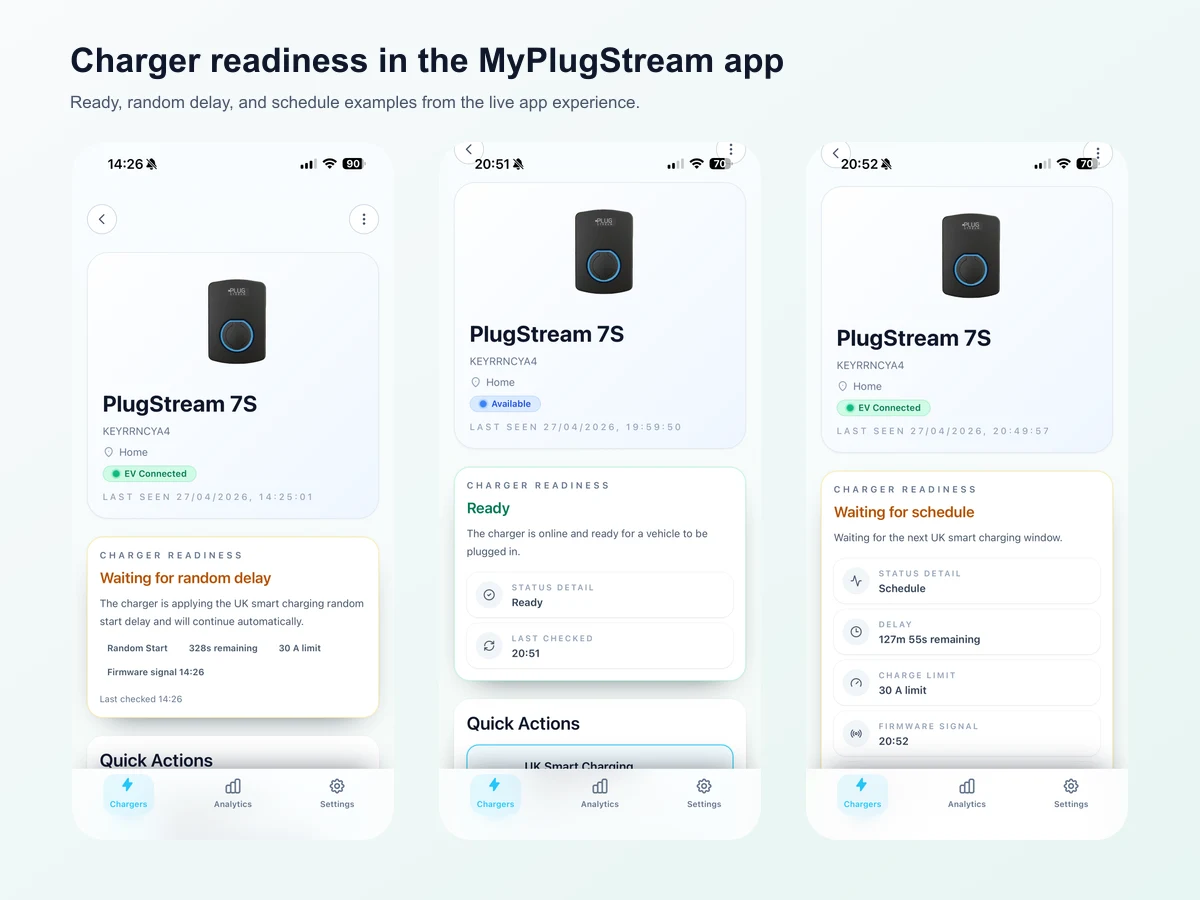
The Charger readiness card can show whether the chargepoint is:
- delivering energy
- ready for a vehicle to be plugged in
- waiting for the vehicle
- waiting for a saved schedule
- applying a smart charging random delay
- waiting for the customer to start a manual session
- paused by site load control, load balancing, or missing site telemetry
- offline or reporting a fault
That turns a vague "it is not charging" moment into something much more useful: a clear title, a short explanation, and where possible, a next action.
The screenshots above show three everyday examples: a charger ready for the vehicle to be plugged in, a UK smart charging random delay counting down, and a charger waiting for the next scheduled charging window.
More context than a basic status
A basic charger status is useful, but it rarely tells the full story. A charger can be online and connected to a vehicle while still waiting for a valid reason.
The readiness endpoint looks across the latest charger state, active session, connector status, smart charging mode, random start delay, site control signals, live meter readings, firmware signals, and active charge limits. The app then turns that into customer-facing copy such as:
- Charging: the charger is delivering energy.
- Waiting for schedule: charging will continue when the saved or smart charging window starts.
- Charging paused: charging is being held by site power conditions or charger control.
- Waiting for site telemetry: the charger is waiting for live site power readings before it can safely start.
- Offline: the charger has not checked in recently.
This is especially helpful for installs with load balancing or site limits, where a pause can be expected behaviour rather than a charger fault.
Better support conversations
Charger readiness also gives customers and support teams a shared language.
Instead of starting with "my charger is not charging", a customer can open the app and see the exact readiness title and message. If the card says Charging paused because the charger is not receiving live site power readings, that immediately points the conversation toward site telemetry. If it says Waiting for vehicle, the next check is with the vehicle rather than the charger.
That means faster troubleshooting, fewer assumptions, and less back-and-forth for customers, installers, and support.
Designed for the real charging journey
Charging is not a single state. It is a sequence of decisions between the vehicle, the charger, the user's charging mode, and the electrical supply available at the site.
Charger readiness is built to explain that journey in a way that feels natural to the end user. It is not just a technical endpoint. It is a small but important improvement to the everyday MyPlugStream experience: open the charger, read the card, understand what is happening.
Related feature: Vehicle Wake Assist
Charger Readiness explains what the charger is waiting for. Vehicle Wake Assist focuses on a narrower delayed-start moment: when a vehicle is plugged in, the charging window opens, and the vehicle may not respond as expected.
For a deeper look at that sleeping-vehicle scenario, read Vehicle Wake Assist: helping scheduled EV charging start when the vehicle is asleep.
For the wider support-style guide to schedules, smart tariff windows, load management and vehicle response, start with the EV charging features guide.
For a behind-the-scenes look at how PlugStream runs automated 24/7 charger-state scenarios against real hardware, read How automated hardware-in-the-loop testing helps PlugStream build more reliable EV charging features.
For step-by-step customer guidance, we have added a new support article: What is Charger readiness in the MyPlugStream app?
Explore More
Compare the PlugStream range
See how PlugStream 7S, PlugStream 7T, and the PlugStream 22 family fit different homes, commercial sites, and daily charging routines.